How to Add a Watermark to PDF Online Free
Mark a document as Draft or Confidential, or add a logo across its pages. The watermark is added in your browser, and it is part of the file when you export.
Step by step
1.Open the PDF
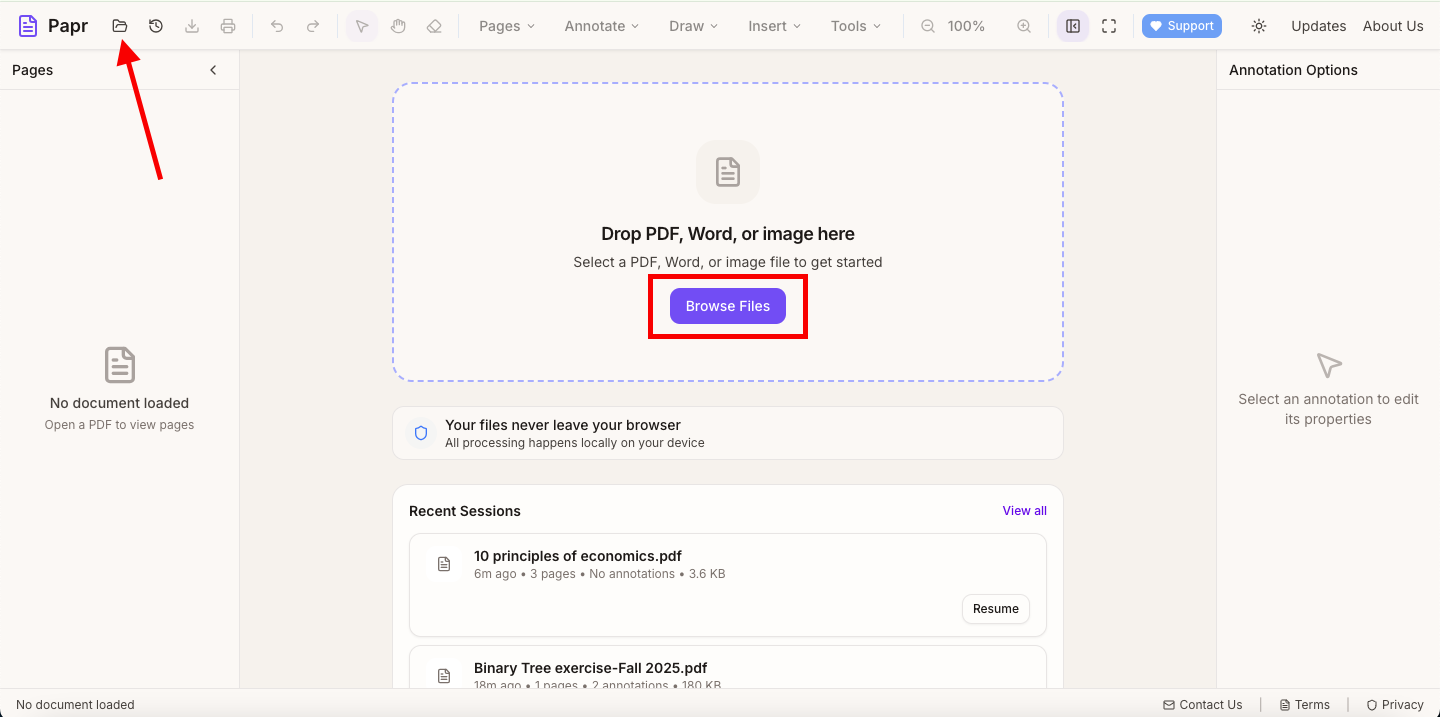
Click Open file in the toolbar, or click Browse Files in the middle of the screen. You can also drop the PDF onto the page.
2.Open Organize Pages
Open the Pages menu and click Organize Pages.

3.Open the Watermark settings
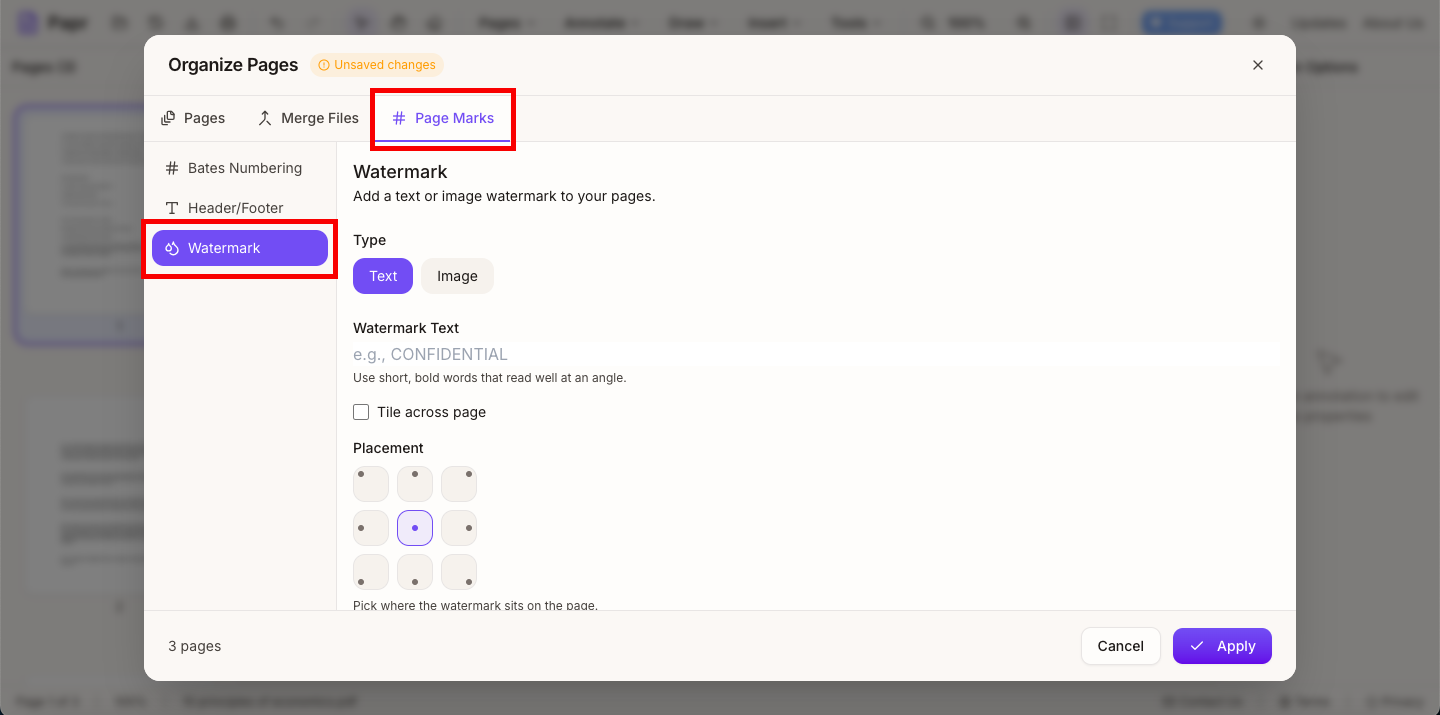
Click the Page Marks tab, then choose Watermark in the list on the left.
4.Choose text or an image
Under Type, choose Text to write the words yourself, such as CONFIDENTIAL, or Image to use a logo. With text, the Watermark Text box shows a short sample you can replace.

5.Set the size, opacity and angle
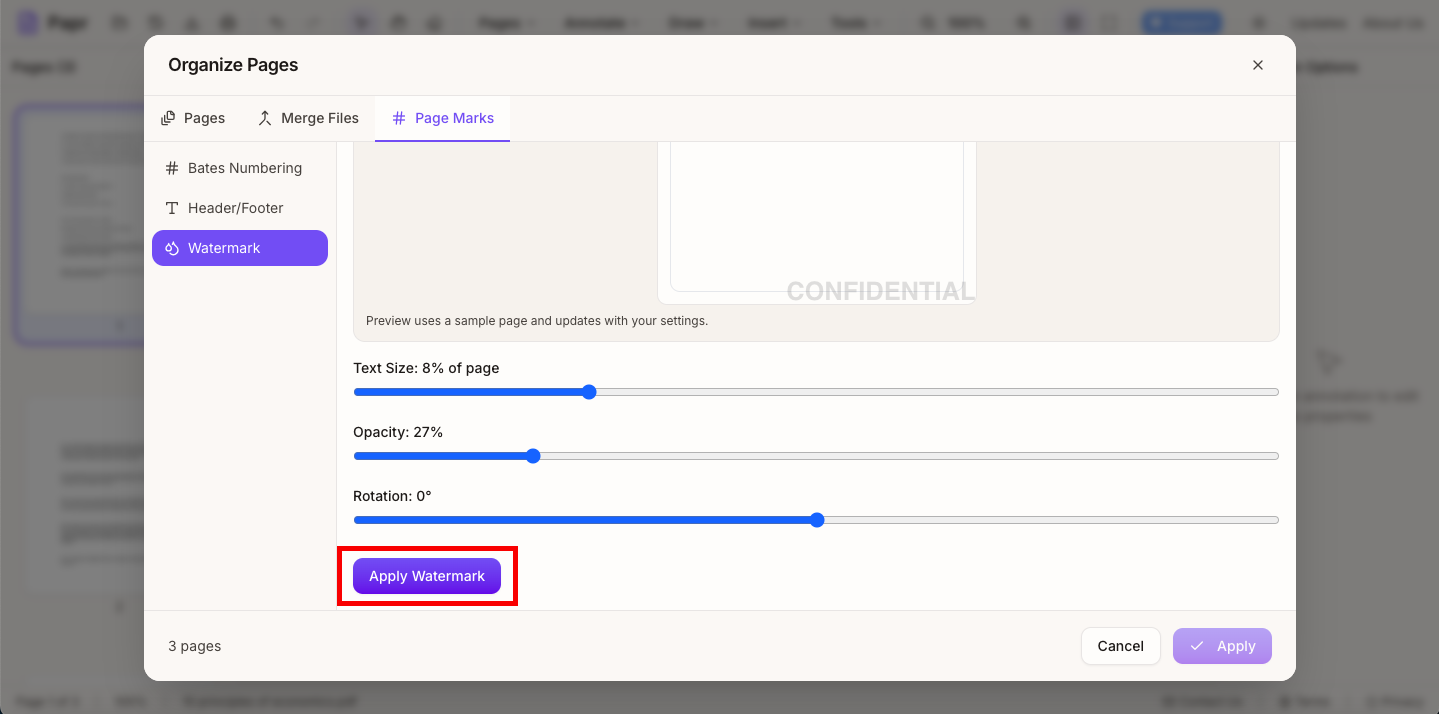
Set the Text Size as a percentage of the page, and the Opacity and Rotation with their sliders. Tile across page repeats the watermark over the whole page. Choose a spot in the Placement grid to place a single mark. The preview shows the result on a sample page.
6.Apply it to the pages
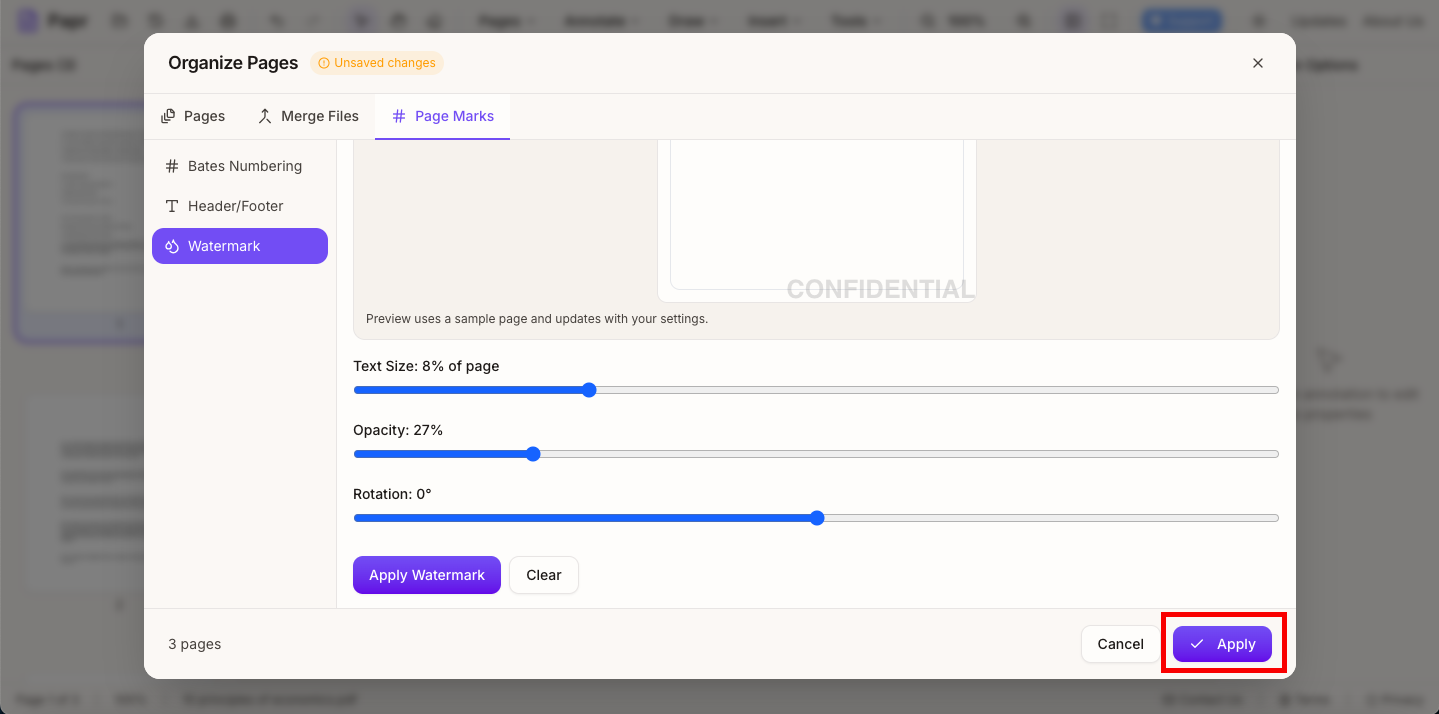
Click Apply Watermark in the watermark panel. Then click Apply at the bottom of the Organize Pages window to add it to the document.
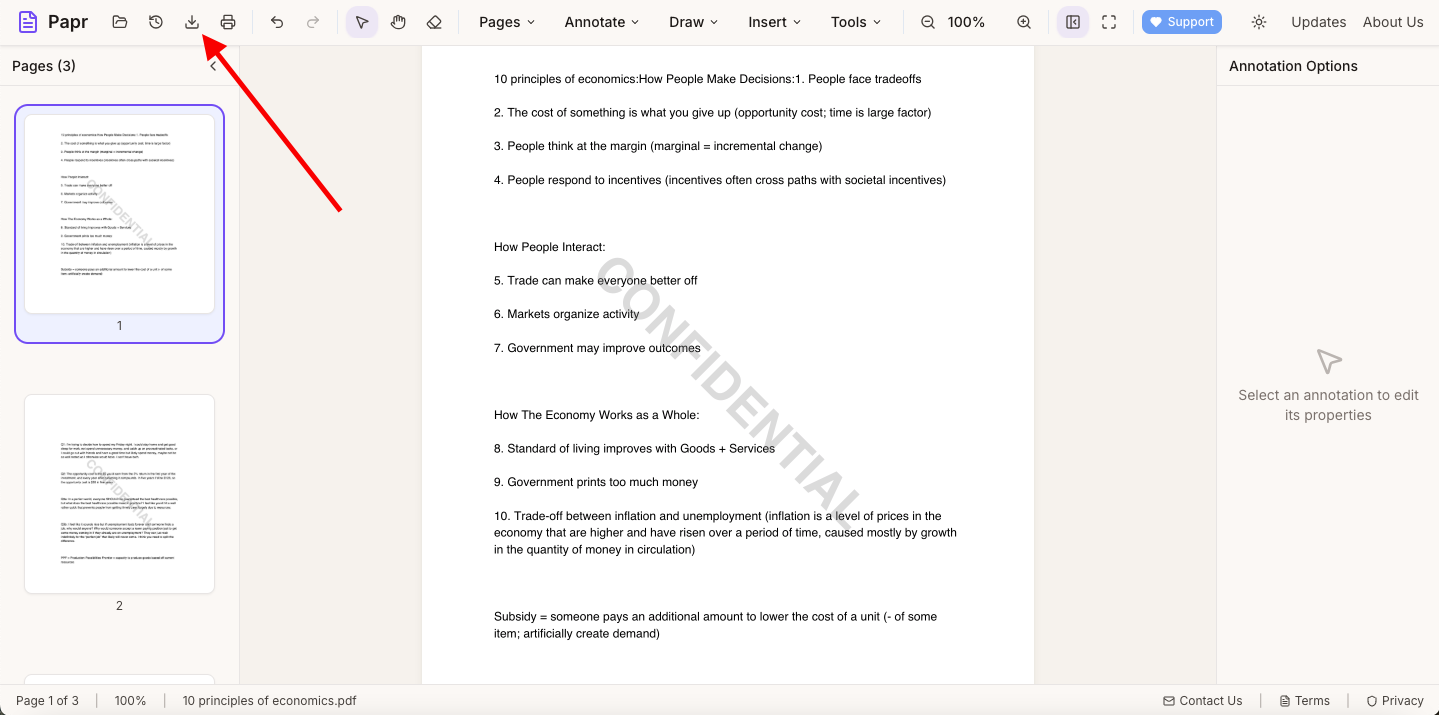
7.Export the watermarked PDF
Click Export in the toolbar and save the file. The watermark is part of the exported PDF.
Try it on your own file
Everything in this guide happens in your browser tab. Your file stays on your device.
Open the PDF editor