How to Convert a PDF to Images Online Free
Turn the pages of a PDF into JPG or PNG pictures, one picture per page. The conversion runs in your browser, so the file stays on your device.
Step by step
1.Open the PDF
Click Open file in the toolbar, or drop the PDF onto the page.
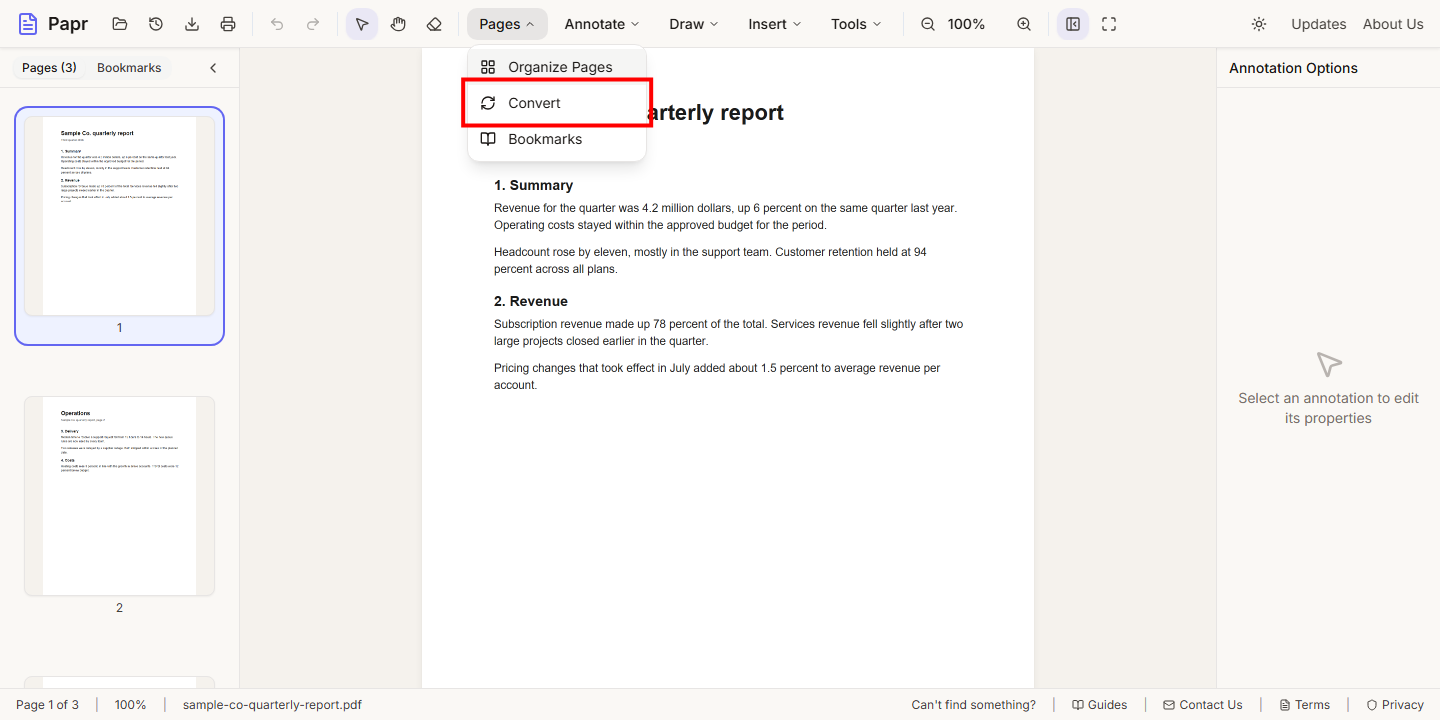
2.Open Convert
Open the Pages menu and click Convert.
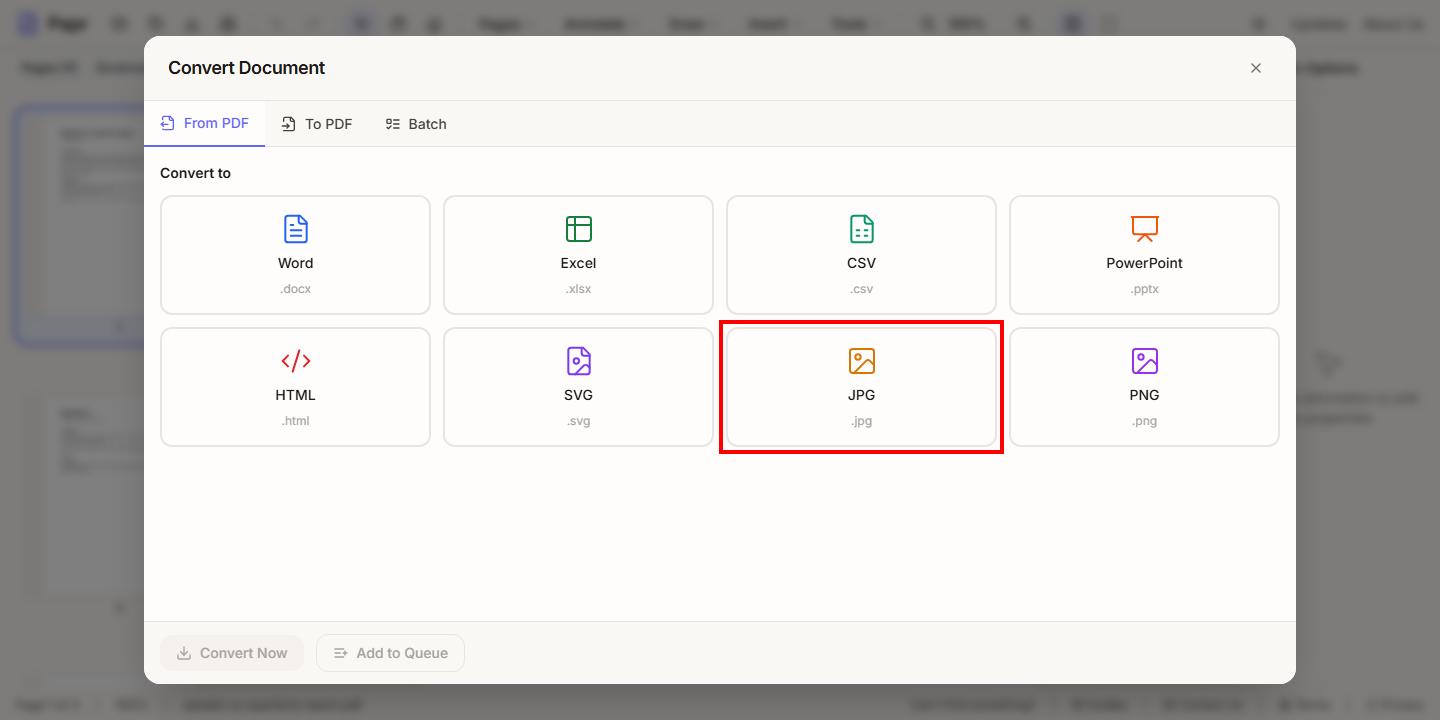
3.Choose JPG or PNG
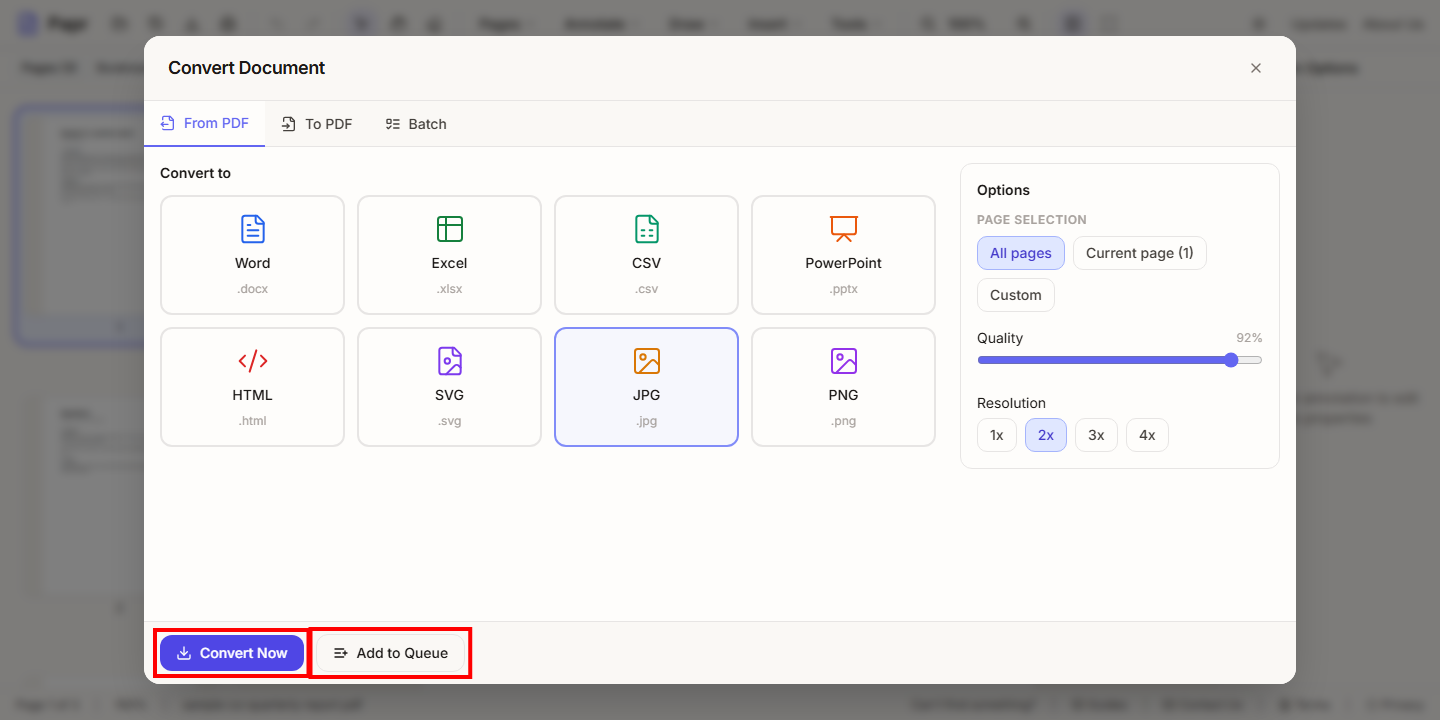
On the From PDF tab, click JPG for photos and scans, or PNG for sharp lines and text.
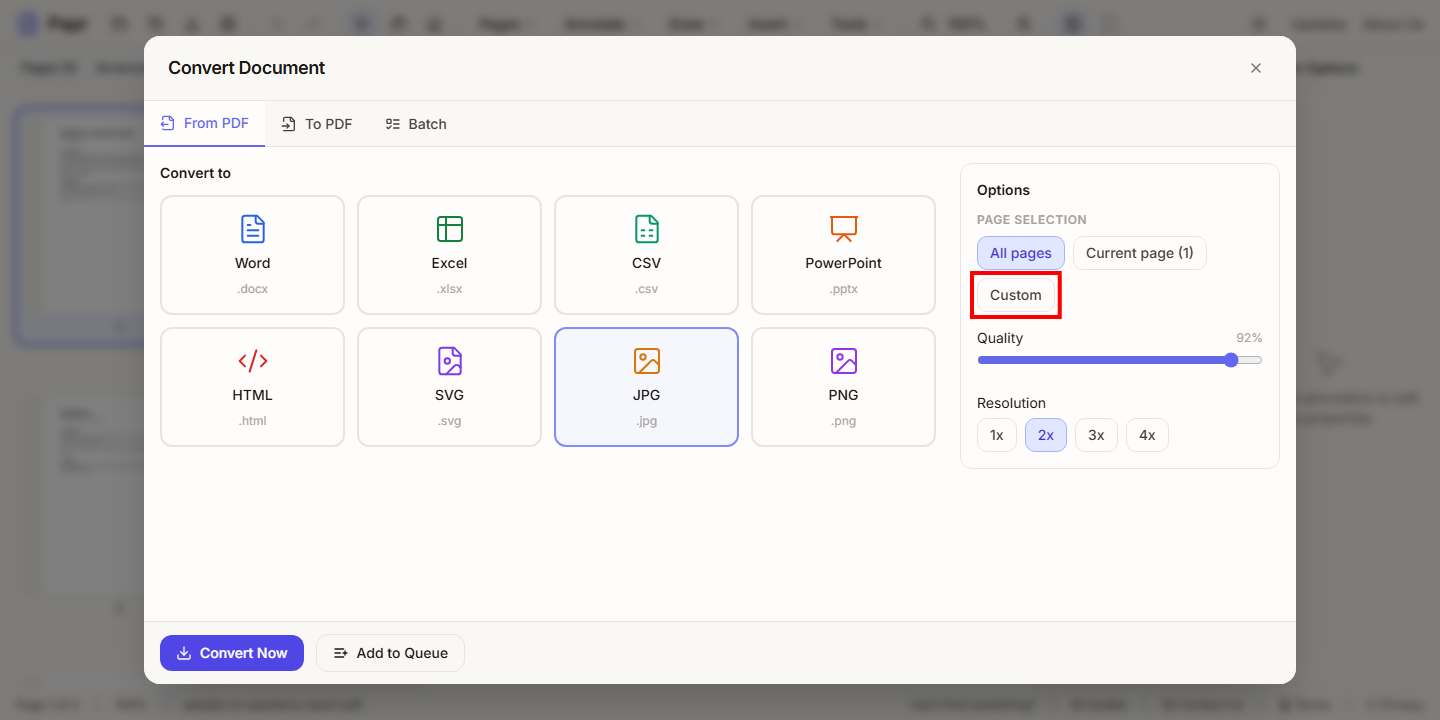
4.Choose the pages and resolution
Under Page selection, choose All pages, Current page, or Custom for a range. The Quality slider sets the compression of a JPG, and Resolution sets the size of each picture: 1x is the smallest, 4x the sharpest.
5.Convert now, or add to the queue
Click Convert Now to convert the pages and download the pictures. Click Add to Queue to run the job later, with other conversions.
Tips
- Convert only the pages you need with a custom range. It is quicker, and the files are smaller.
- Check the first picture before you convert all the pages. A wrong resolution is quicker to fix that way.
Try it on your own file
Everything in this guide happens in your browser tab. Your file stays on your device.
Open the PDF editor