How to Edit Text in a PDF Online Free
Fix a typo or replace a phrase that is already on the page. Papr covers the old words and writes the new ones in their place, and it works on the text of the PDF itself.
Step by step
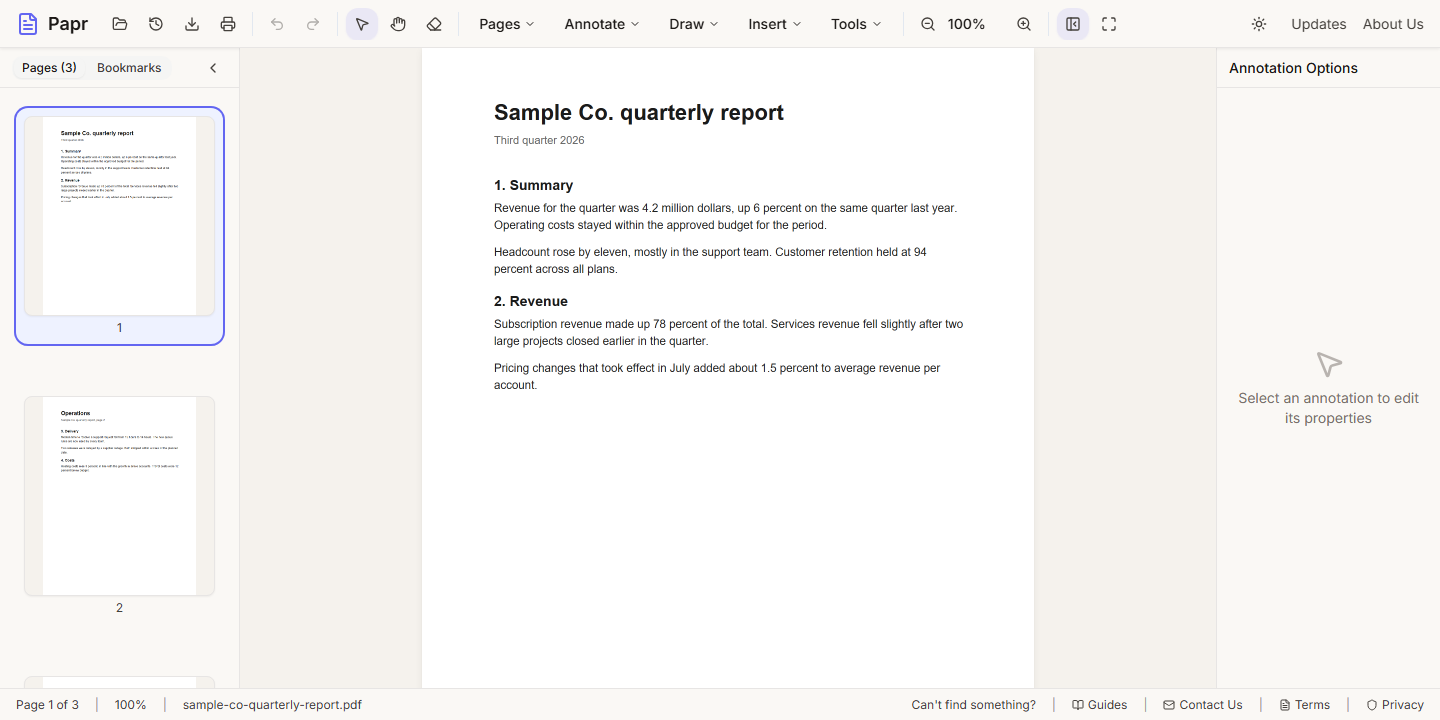
1.Open the PDF
Click Open file in the toolbar, or drop the PDF onto the page. Go to the page with the text you want to change.
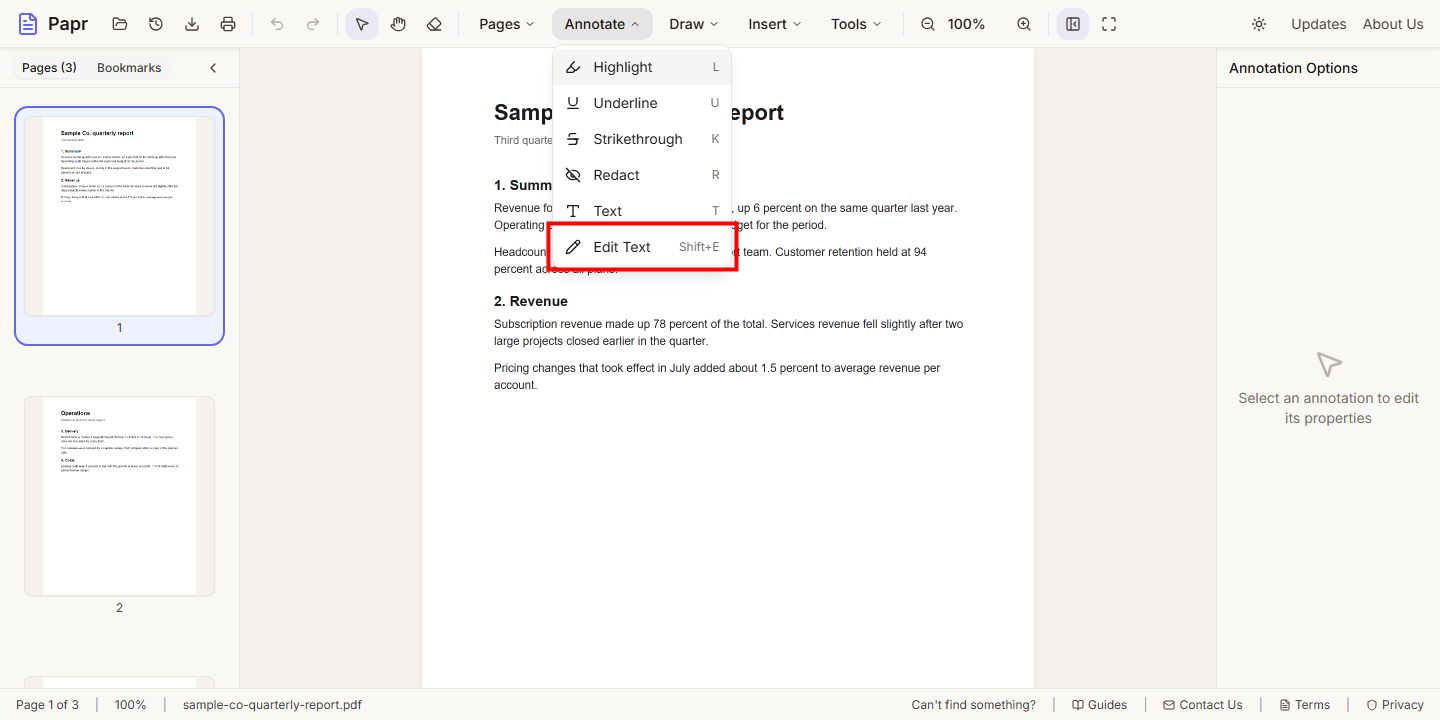
2.Choose Edit Text
Open the Annotate menu and click Edit Text. The keyboard shortcut is Shift+E.
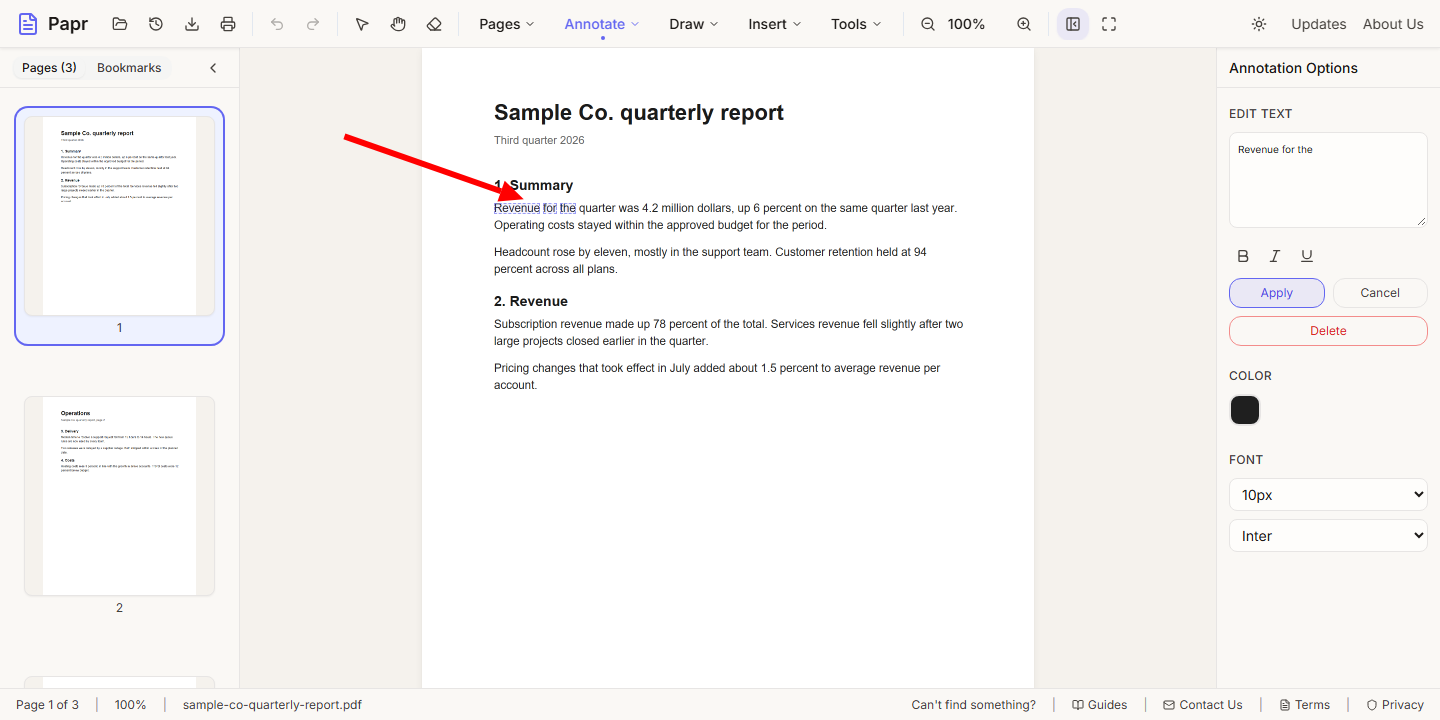
3.Select the words
Click the first word, then hold Shift and click the last word on the same line. The words are highlighted, and the Edit Text panel opens on the right.
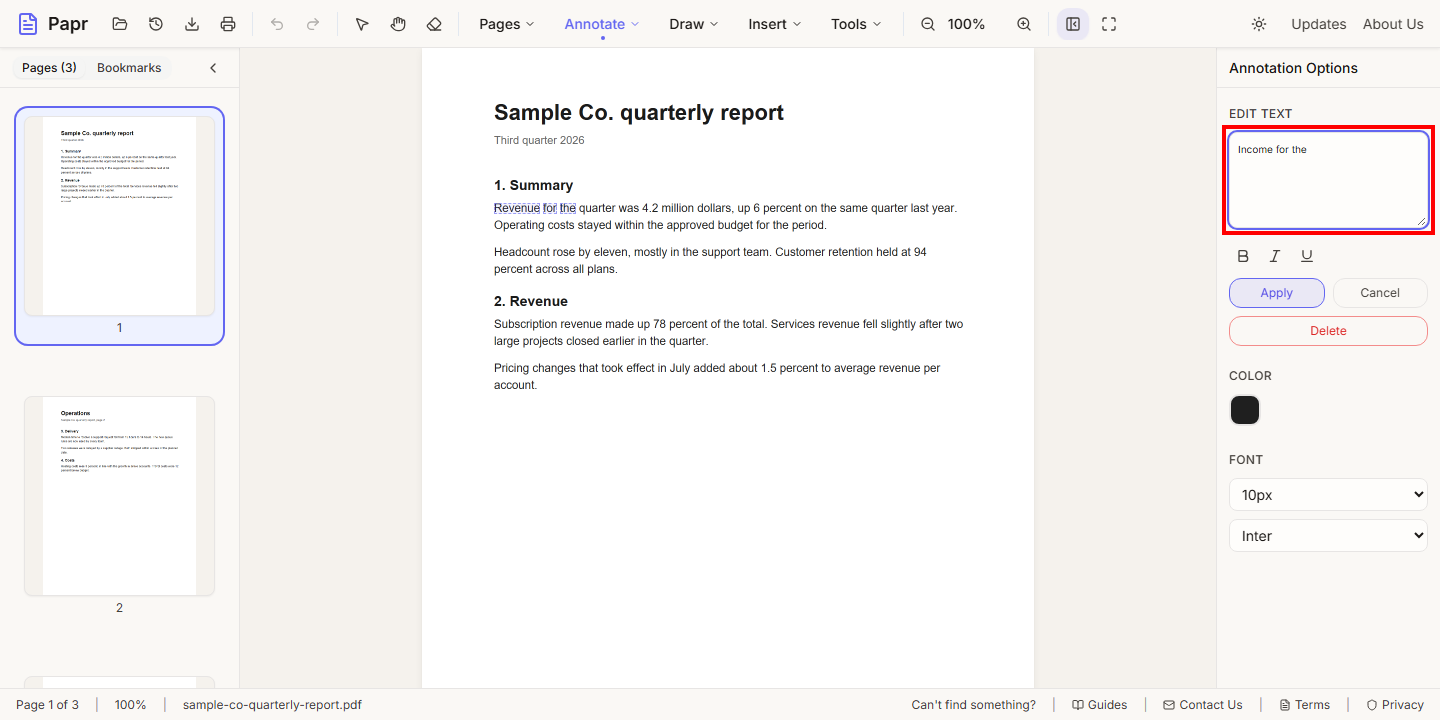
4.Type the new text
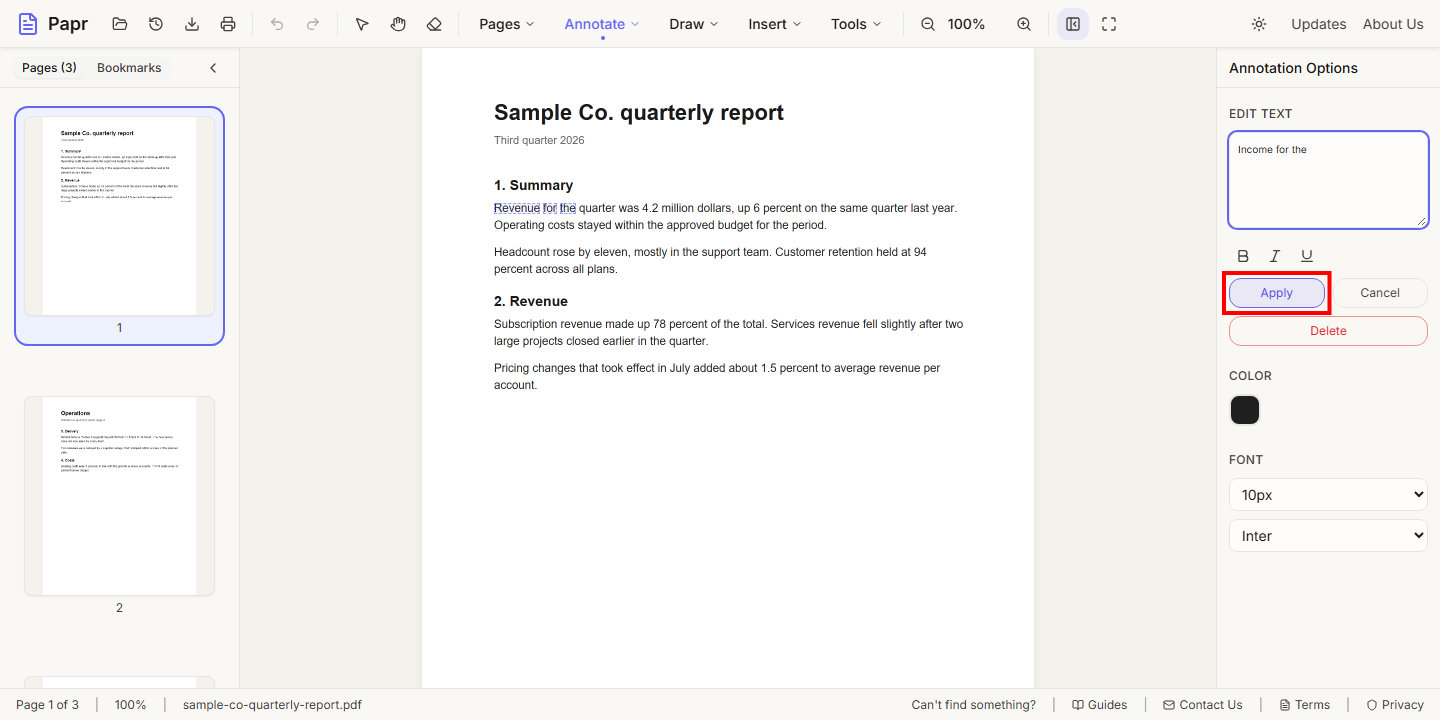
Type the replacement in the box at the top of the panel. The B, I and U buttons make the new words bold, italic or underlined.
5.Apply, Cancel or Delete
Click Apply to replace the words. Cancel discards what you typed, and Delete removes the selected words from the page.
6.Export the updated PDF
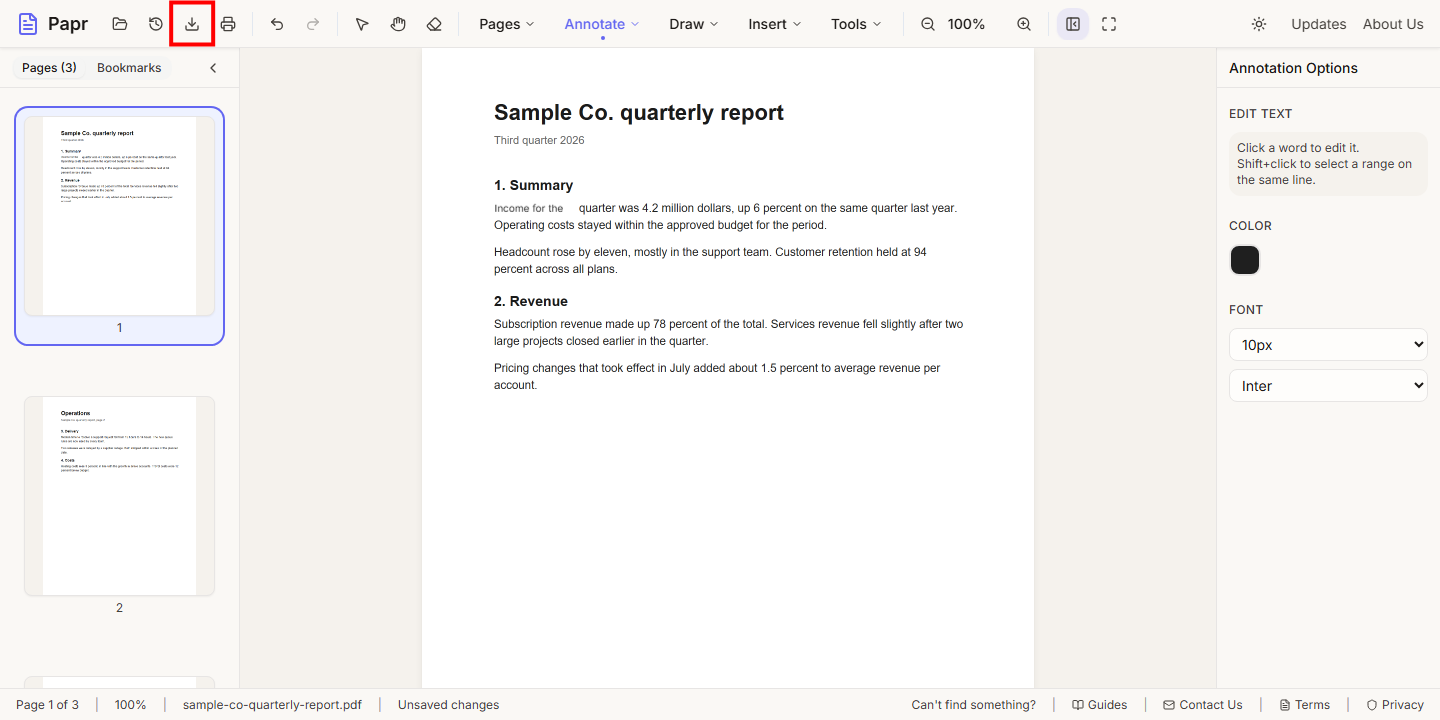
Check the page, then click Export in the toolbar to save the file.
Tips
- Replace a whole phrase at once. It reads better than editing one word at a time.
- Check the page at the zoom you will print or share at, before you export.
Try it on your own file
Everything in this guide happens in your browser tab. Your file stays on your device.
Open the PDF editor