How to Translate PDFs Online Free
Read a PDF in another language. Papr translates the text in your browser with an offline machine-translation model, and the document itself is not uploaded.
Step by step
1.Open the PDF
Click Open file in the toolbar, or drop the PDF onto the page. A PDF that has real text can be translated straight away.
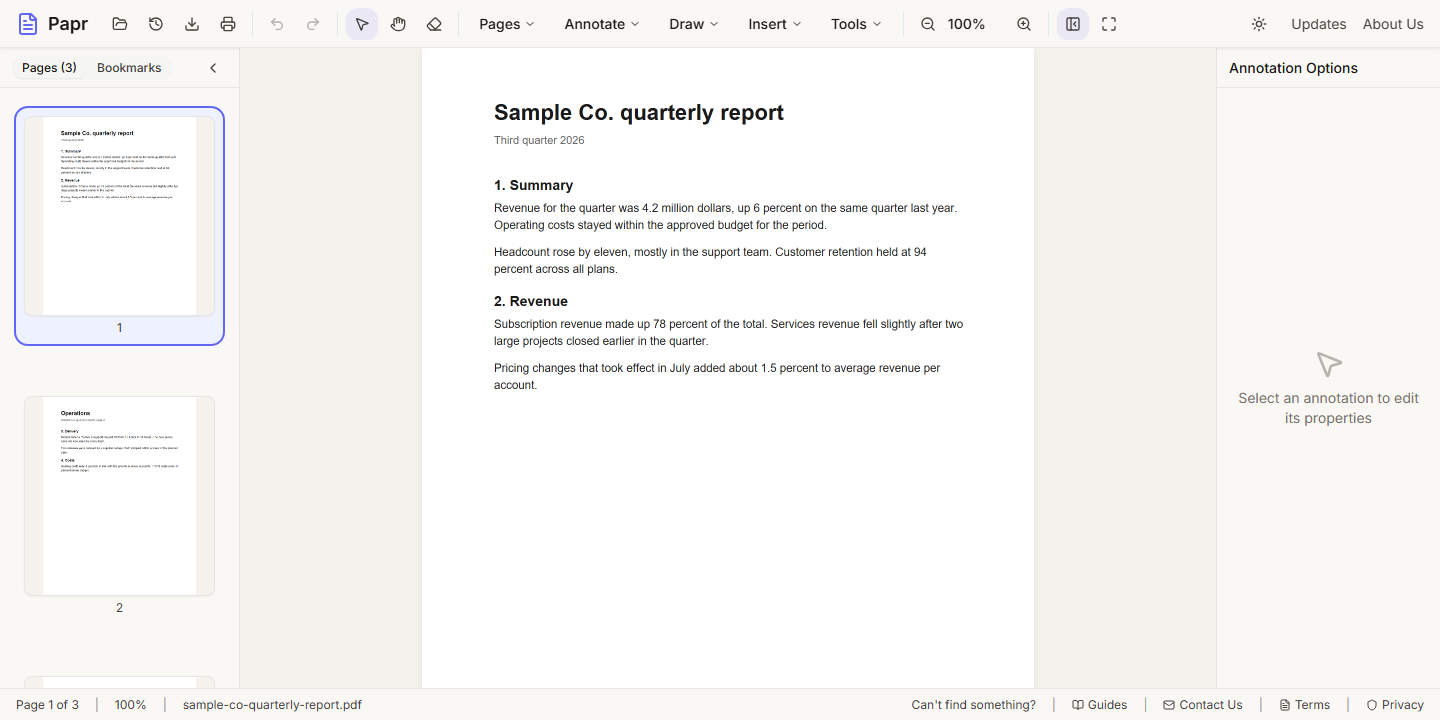
2.Open Translate
Open the Tools menu and click Translate. The dialog is titled Translate PDF.
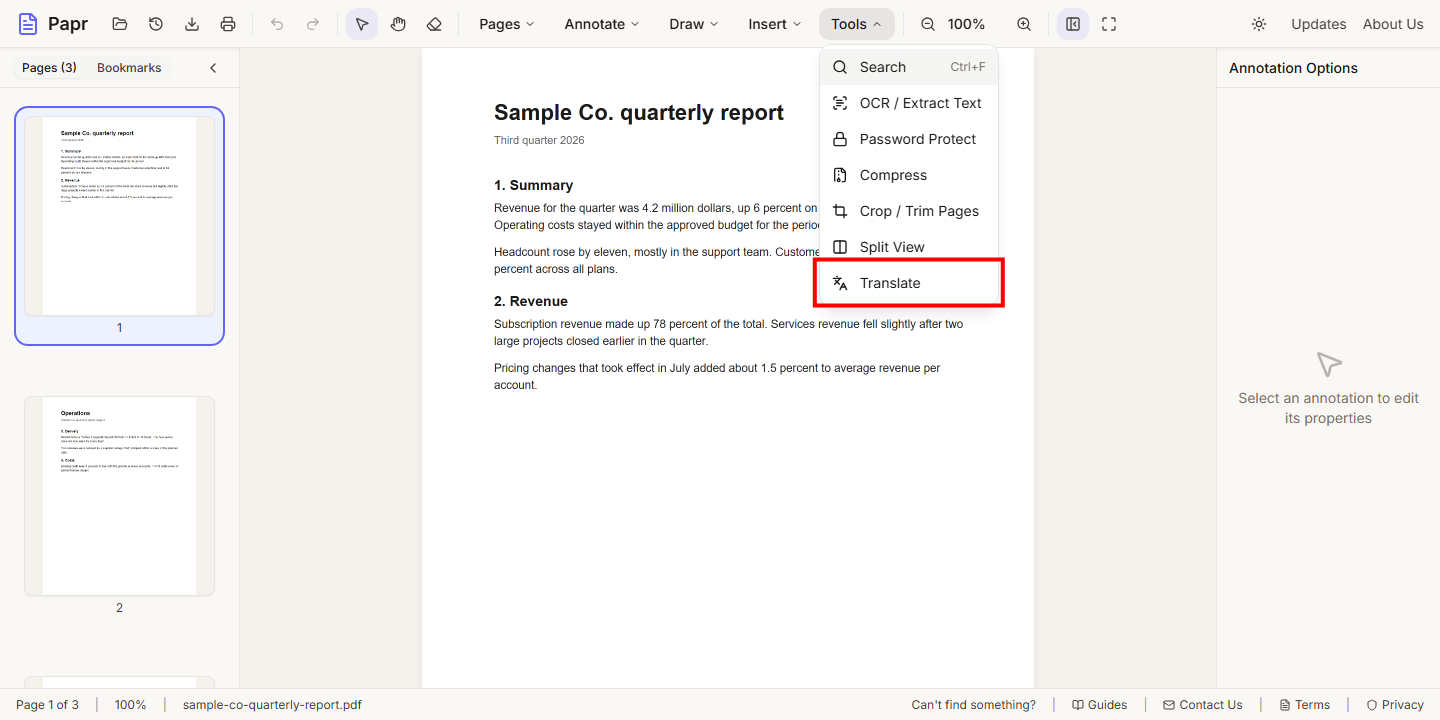
3.Choose the languages
The From language is the language of the document. Choose the To language you want to read it in.
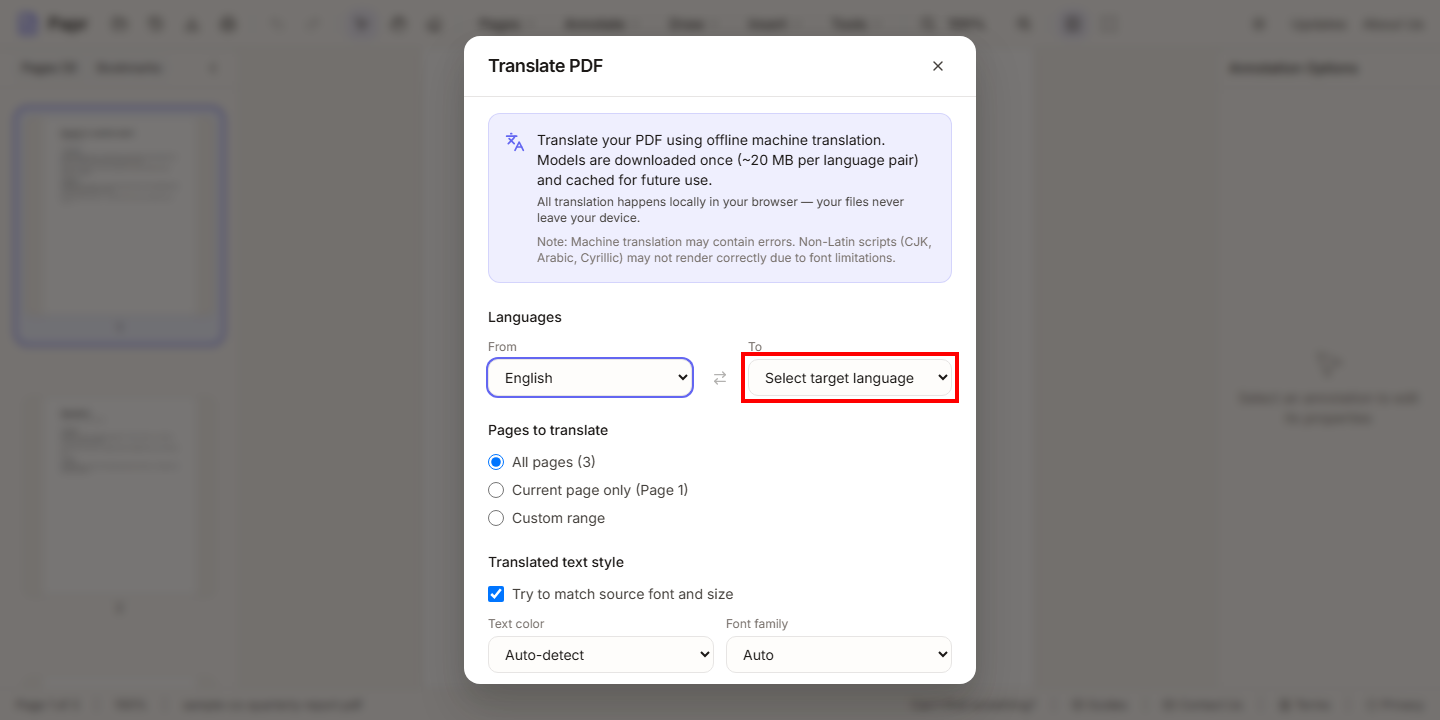
4.Choose the pages
Under Pages to translate, choose All pages, Current page only or Custom range.
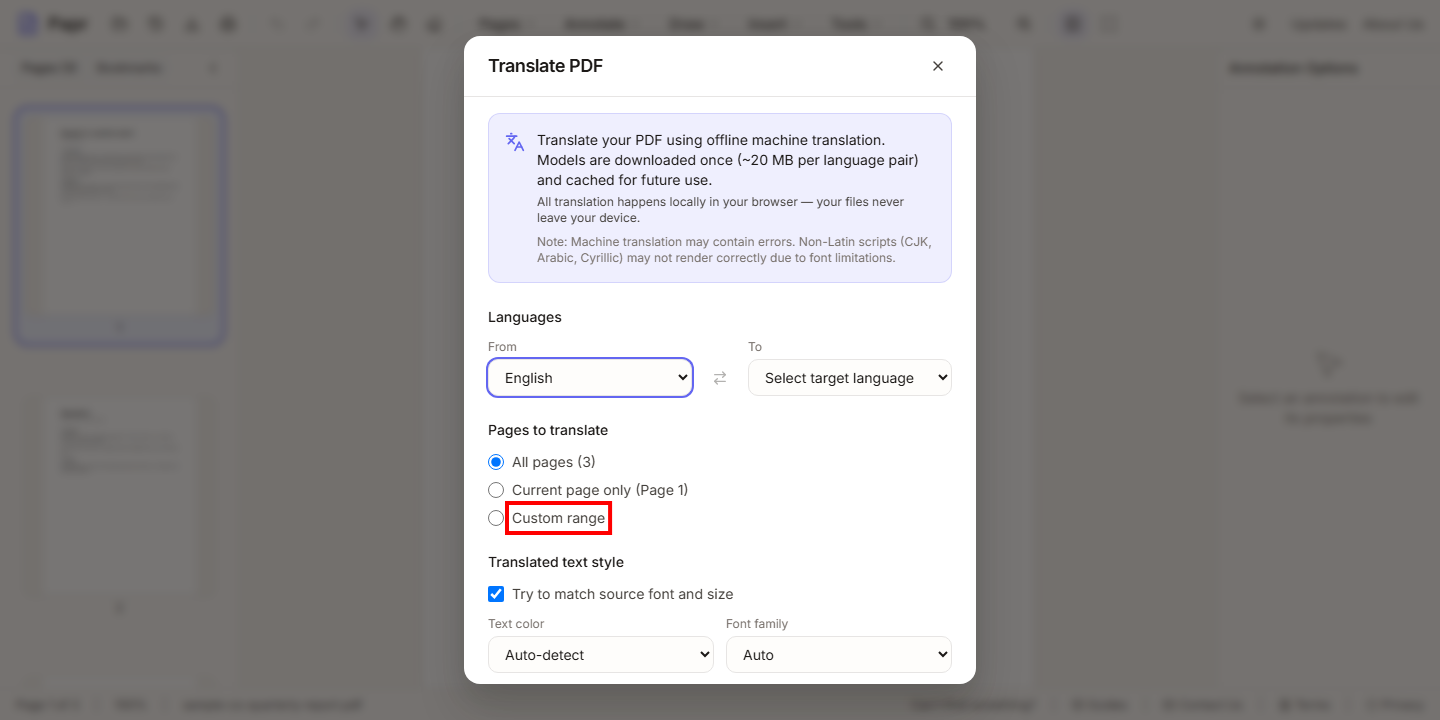
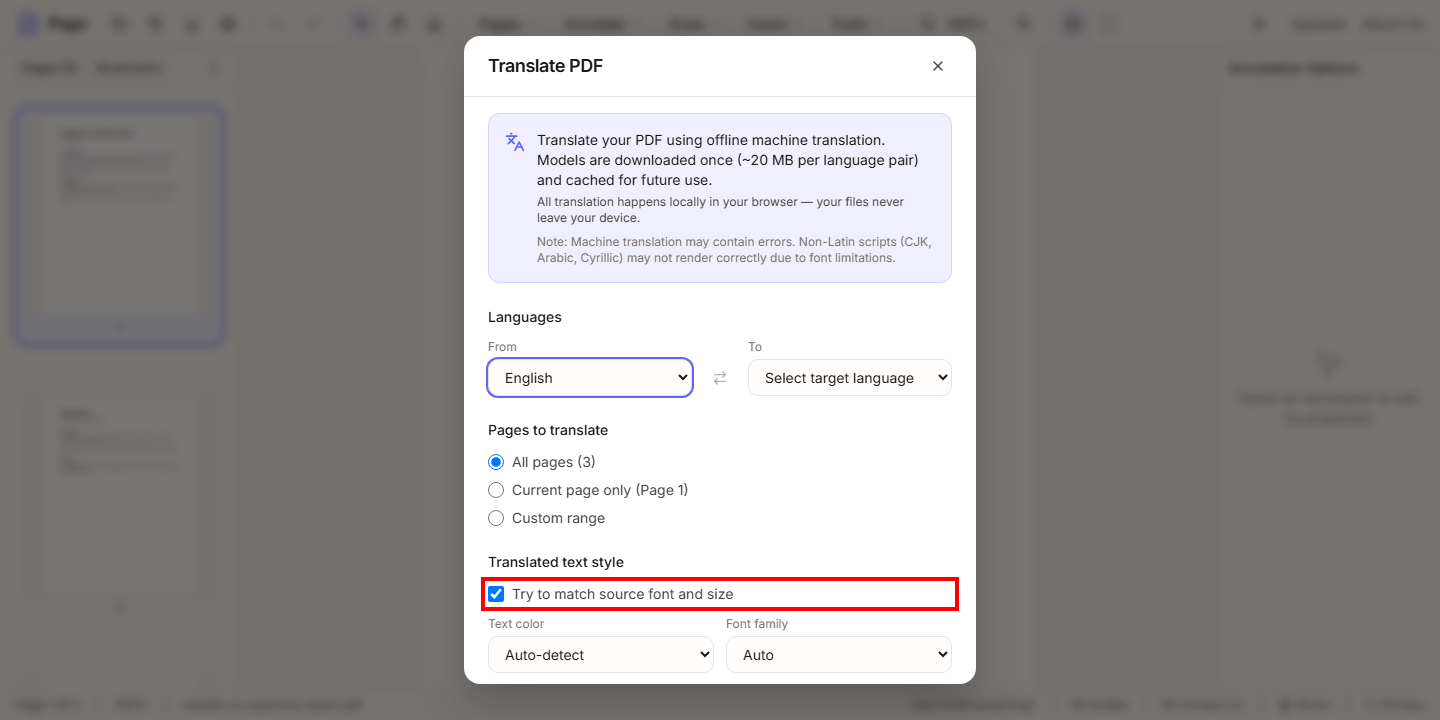
5.Set the text style
Try to match source font and size keeps the translated text close to the original. If the detection misses, choose a fixed Text color and Font family.
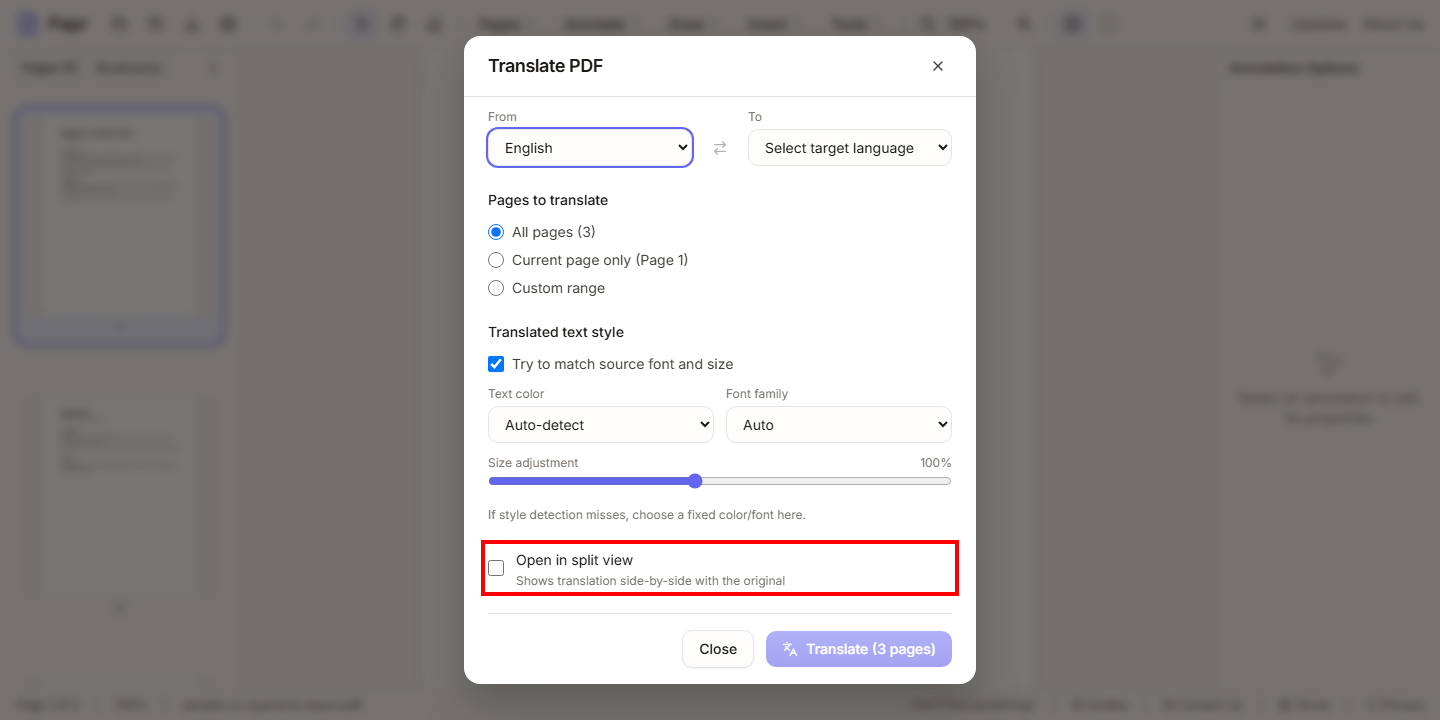
6.Show the original beside it
Tick Open in split view to see the original and the translation side by side. Without it, the translation is laid over the original page.
7.Translate
Click Translate, which shows the number of pages it will translate. The progress is shown for each page. When it finishes, review the result and click Export in the toolbar to save the file.
Translate a selection
You do not have to translate the whole document. Select some words on the page, and choose Translate Selection from the menu that appears.
Before you rely on it
- Compare the translation with the original, especially for names, numbers and dates.
- Undo with Ctrl+Z (Cmd+Z on a Mac) if a translation is not what you wanted.
Try it on your own file
Everything in this guide happens in your browser tab. Your file stays on your device.
Open the PDF editor