Keyboard shortcuts and the command palette
Most tools in the PDF editor have a single key, such as H for Highlight. The command palette runs any command by name, and each editor has a list of its own shortcuts.
Step by step
1.Use the key next to a tool
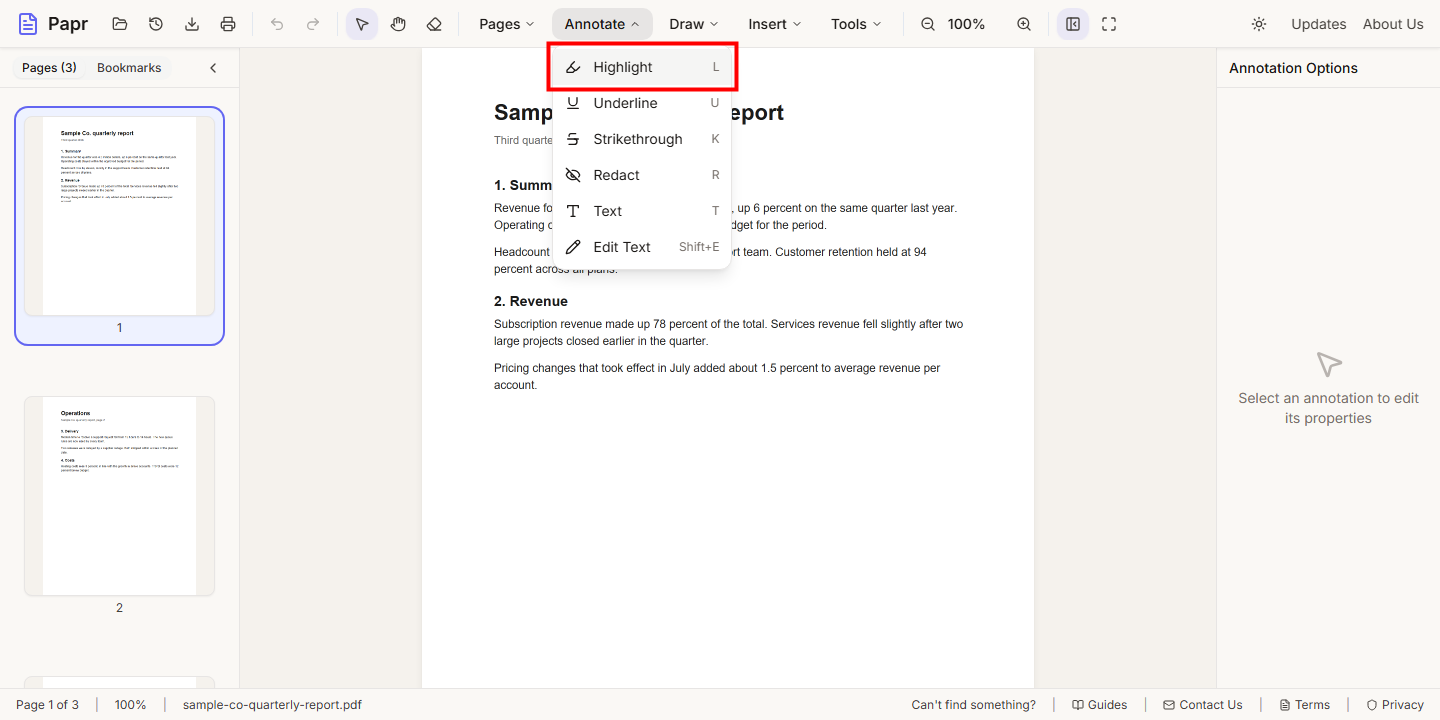
Open a menu such as Annotate. Each tool shows its key on the right of its name. Press the key to pick the tool, and press Escape to go back to Select. The same key shows in the tooltip when you point at the tool’s button.
2.Open the command palette
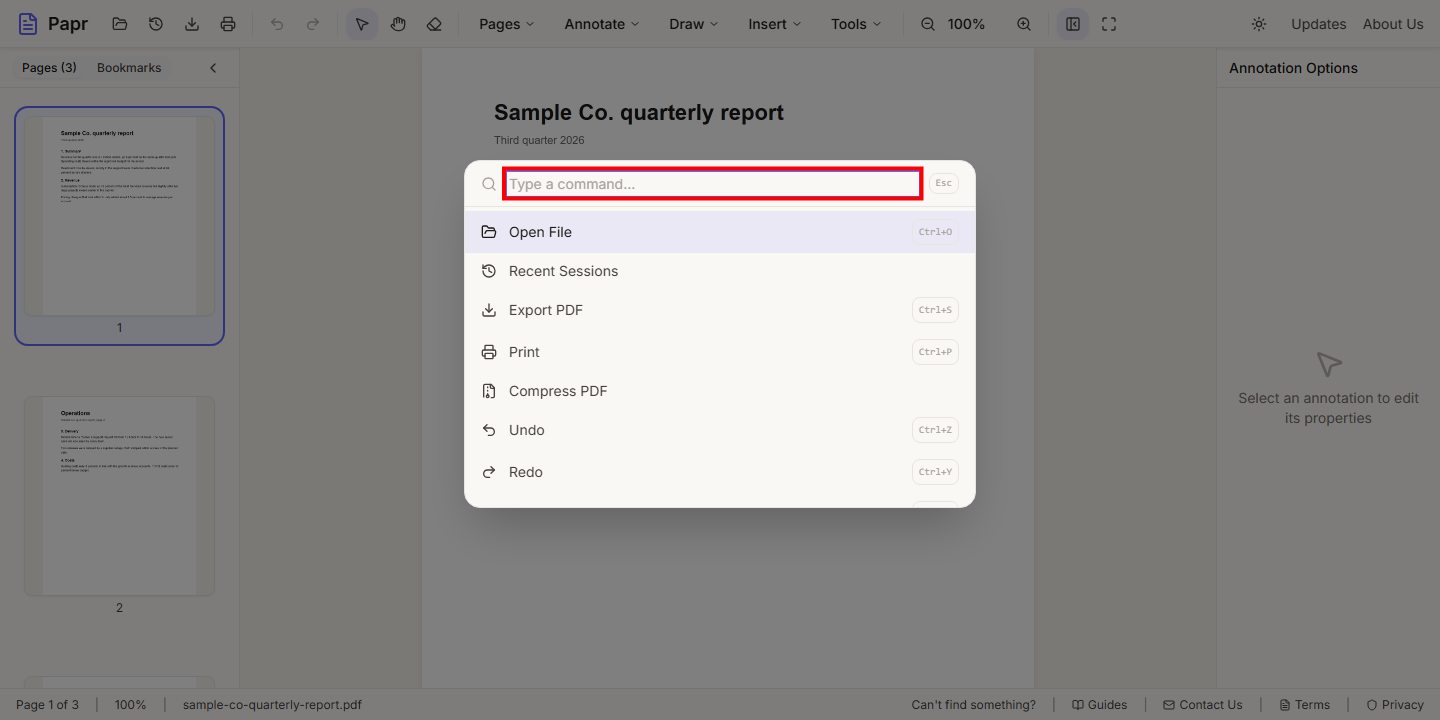
Press Ctrl+K (⌘+K on a Mac). The command palette opens with the cursor in its search box. It lists the commands of the editor, such as tools, pages, zoom and export.
3.Find a command by name
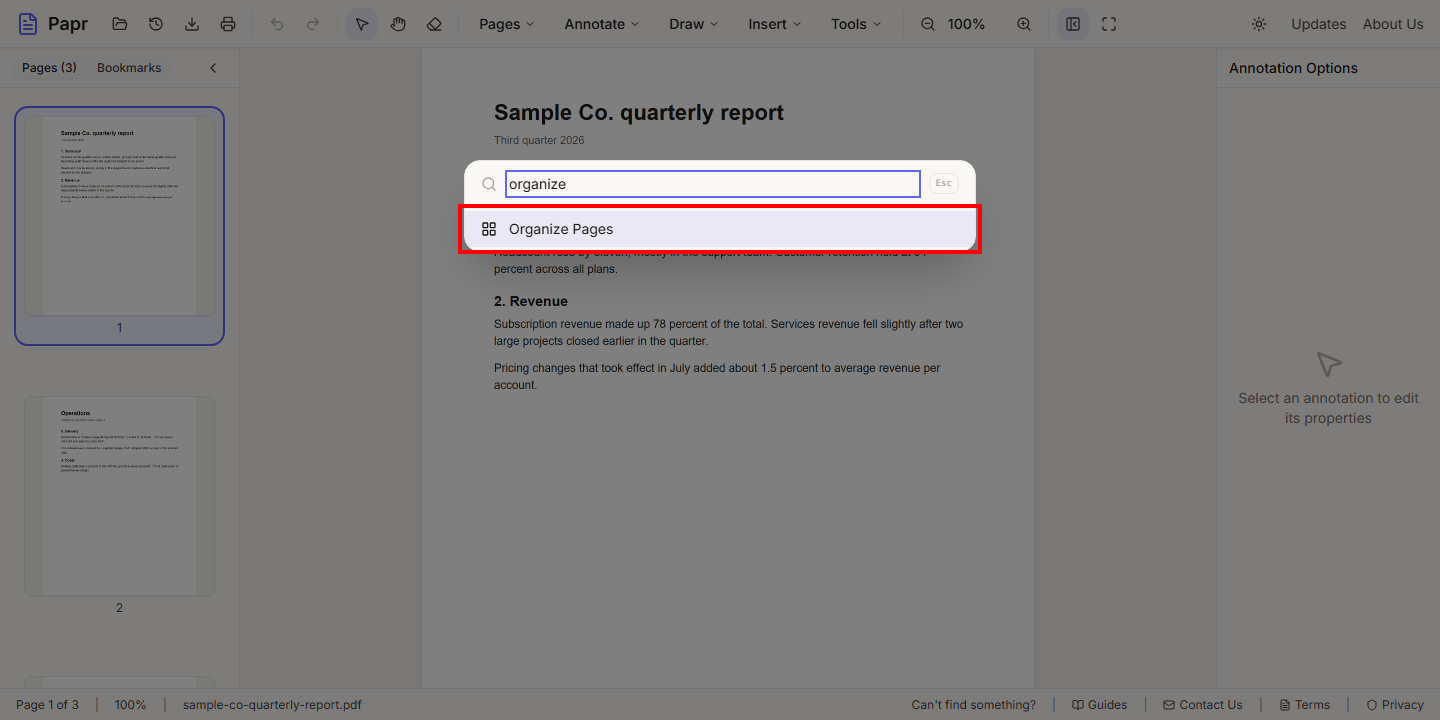
Type part of a name, such as organize. The list narrows to the matching commands. Use the arrow keys to choose one, then press Enter to run it. Esc closes the palette. A command with a shortcut shows the shortcut beside its name.
4.Find the shortcut lists of Docs and Sheets
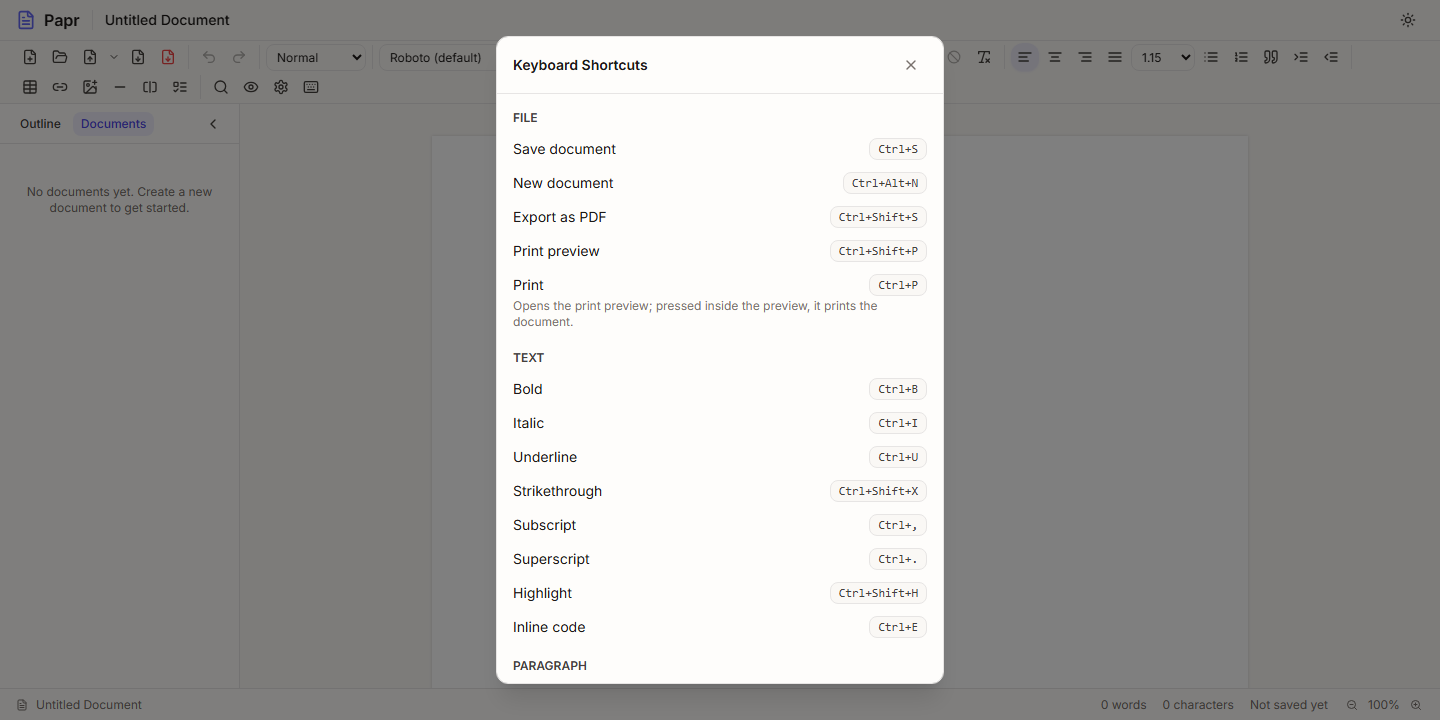
In Papr Docs and Papr Sheets, press Ctrl+/ to open the list of keyboard shortcuts for that editor. The list is grouped by file, text, paragraph and find, and each shortcut is shown with its keys. Press Esc to close it.
Shortcuts in the PDF editor
On a Mac, use ⌘ in place of Ctrl. These are the shortcuts that are used most often.
- V Select, H Pan, L Highlight, U Underline, K Strikethrough, R Redact, T Text, Shift+E Edit Text, P Pen, S Shape, E Eraser, C Comment, G Signature, M Stamp, I Image, N Link and W Widget.
- Ctrl+O opens a file, Ctrl+S exports the PDF, and Ctrl+P prints it.
- Ctrl+Z undoes, and Ctrl+Y or Ctrl+Shift+Z redoes.
- Ctrl+C copies the selection, Ctrl+V pastes it, Ctrl+A selects everything, and Delete removes the selected item.
- Ctrl+F opens the search, and Ctrl+G goes to a page number.
- Ctrl+[ shows or hides the page panel, and F11 turns full screen on and off.
Try it on your own file
Everything in this guide happens in your browser tab. Your file stays on your device.
Open the PDF editor