How to import and export Excel and CSV files
Open a spreadsheet from Excel or a CSV file in Papr Sheets, and save your work back out as XLSX, CSV or PDF. The file is read in your browser, and nothing is uploaded.
Import a file
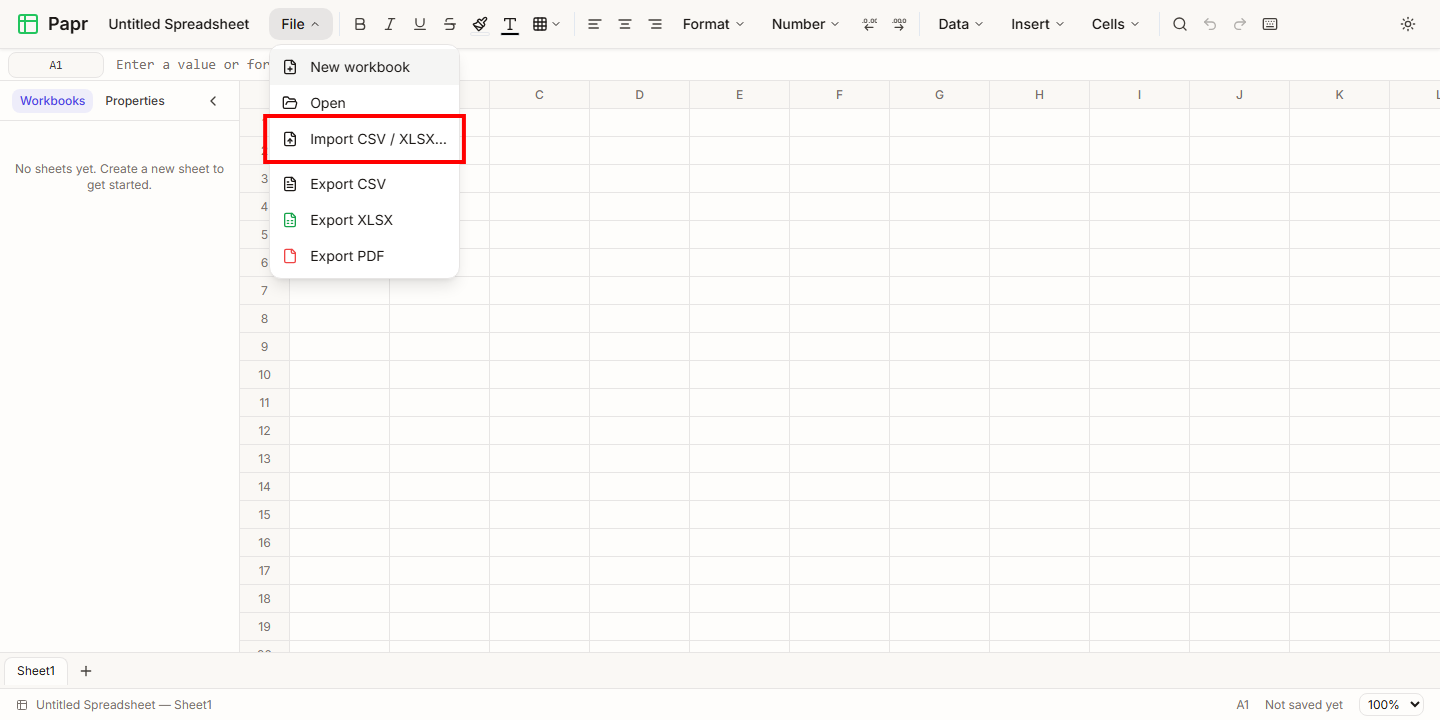
1.Open File > Import CSV / XLSX
Click File in the toolbar and choose Import CSV / XLSX…. Choose a file that ends in .xlsx, .xls or .csv. Papr reads the file in your browser.
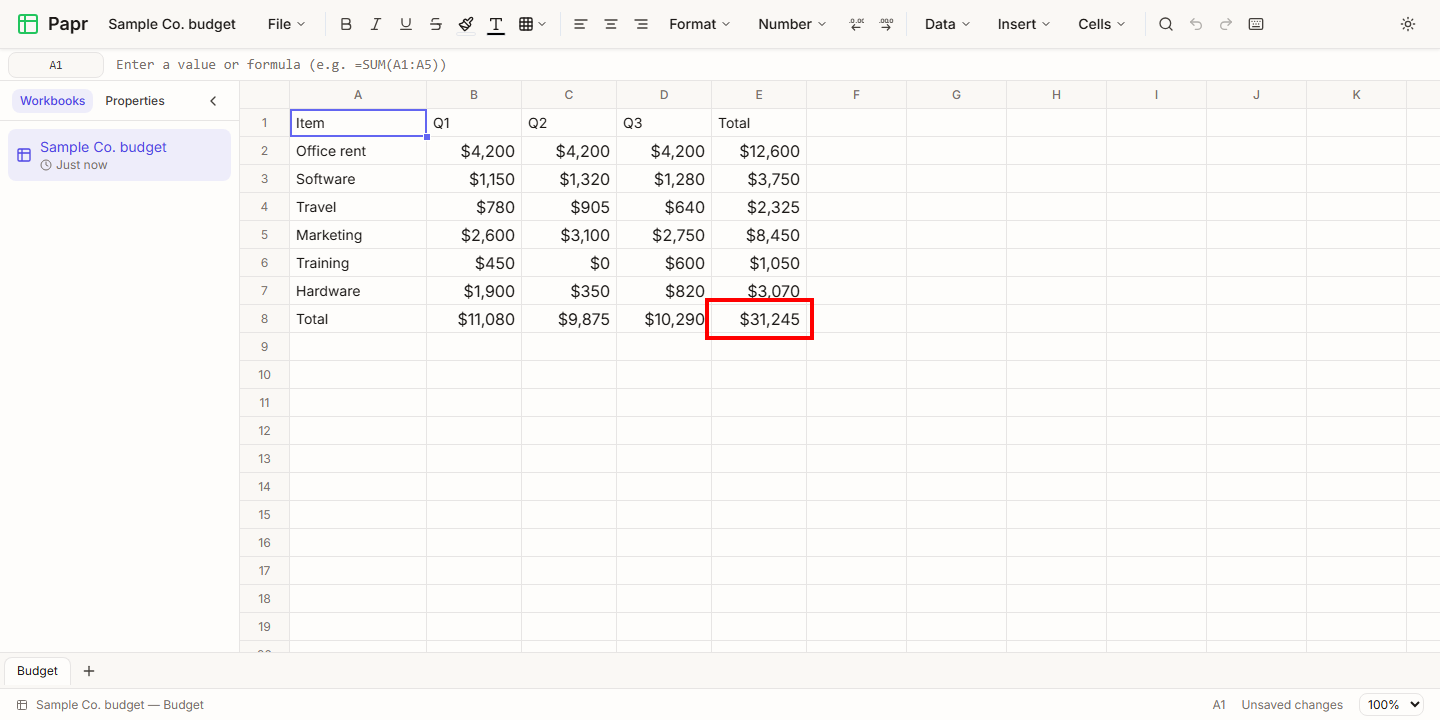
2.Check an Excel workbook
An import opens the file as a new workbook, and it appears in the Workbooks list in the sidebar. This sample has dollar amounts and a total row. The totals are formulas, and Papr calculates them again when the file opens. Papr also brings across the fonts, fills, borders, column widths and frozen rows that an Excel file sets.
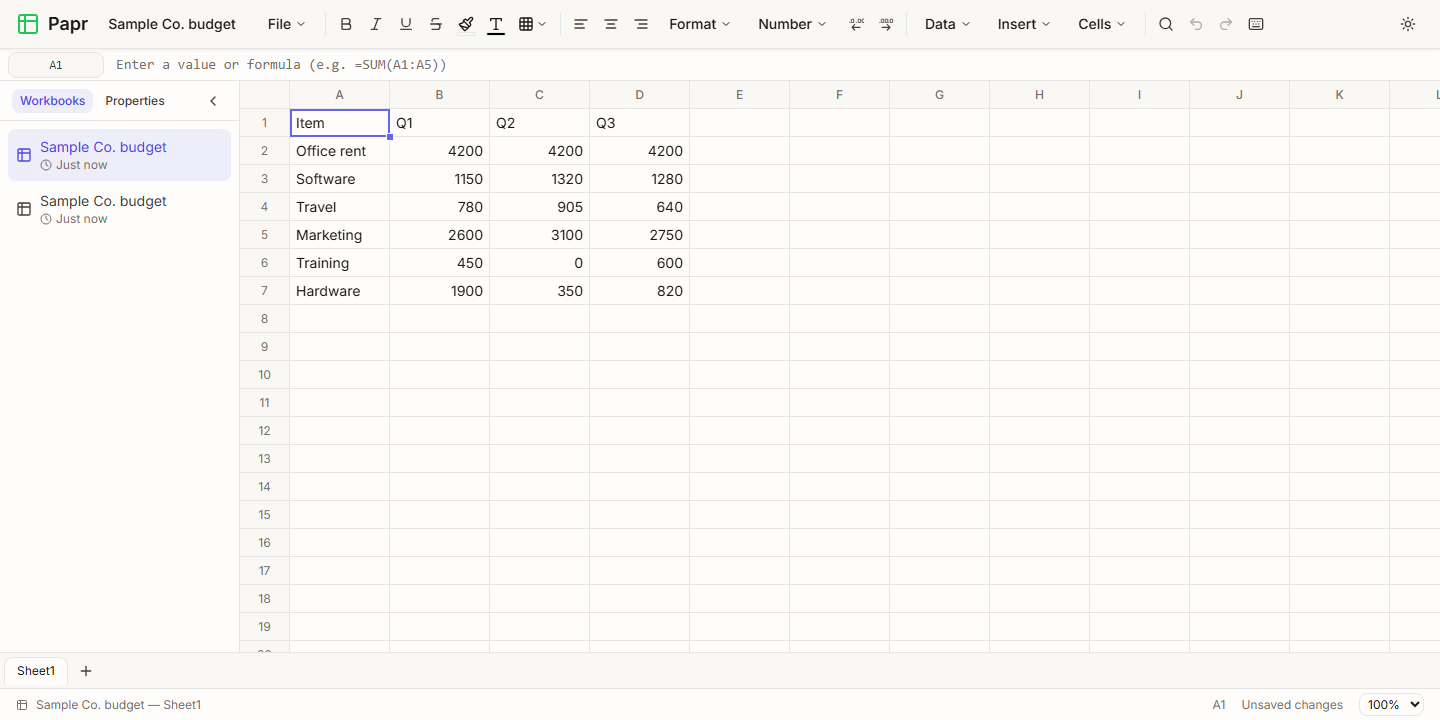
3.Import a CSV file
A CSV file holds plain values with no formatting or formulas. Papr detects whether the fields are separated by commas, semicolons or tabs. Quoted fields can contain commas and line breaks. Numbers become numbers, but a number with a leading zero, such as a postal code, stays as text so the zero is kept.
Export a workbook
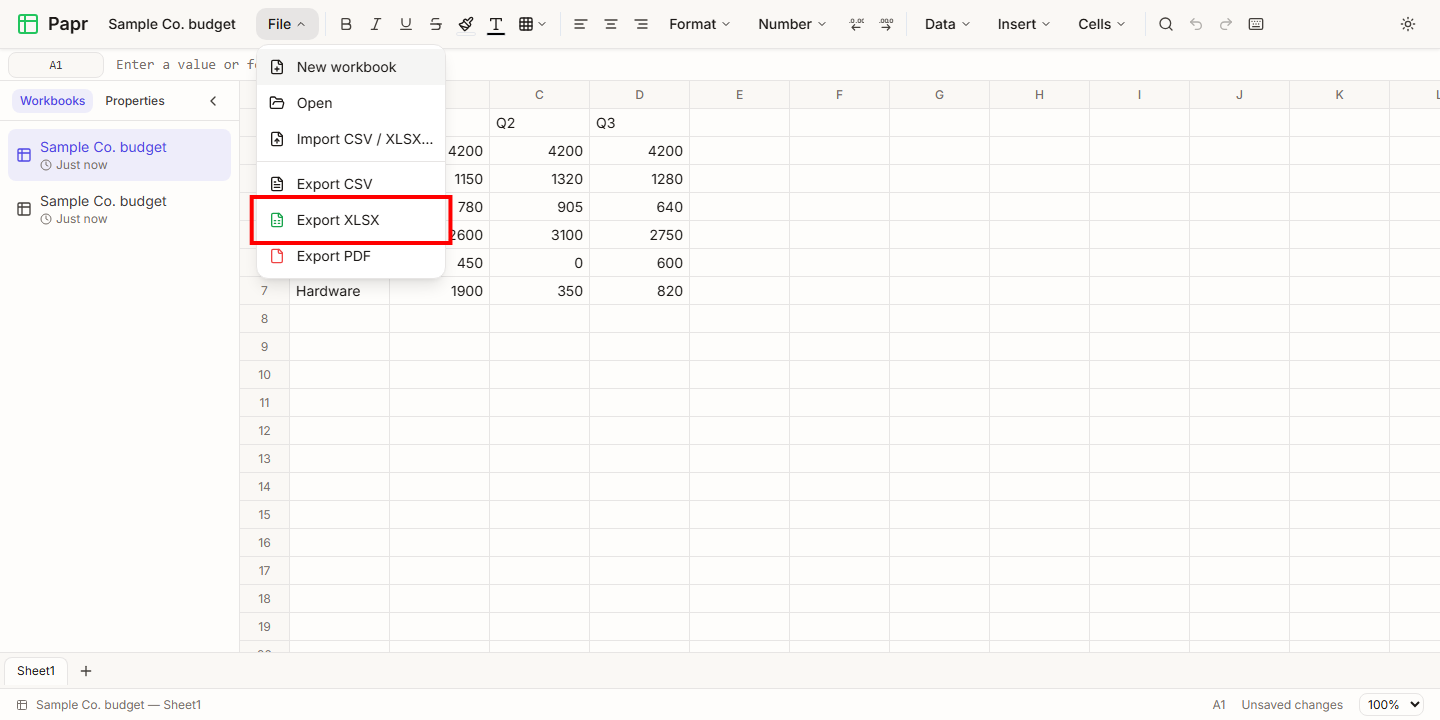
4.Choose the export format
Open File and choose one of the export items. Export XLSX writes an Excel workbook. Export CSV writes the sheet you are on as a comma-separated file. Export PDF writes the grid as pages, with the column letters and row numbers printed on them. The file is downloaded to your device.
What an export keeps
- XLSX keeps the formulas with their calculated results, number formats, fonts, fills, borders, alignment, column widths, row heights, frozen rows and columns, and the tab colour.
- CSV writes the text each cell shows, so a number with a dollar format is written with its dollar sign and decimals. It does not write formulas. Text that would start a formula in another program is written so that the program does not run it.
- XLSX does not write conditional formatting. Papr tells you about any other part of the workbook that could not be written, when you export.
Try it on your own file
Papr Sheets runs in your browser. Your spreadsheet never leaves your device.
Open Papr Sheets